Your cart is currently empty!
Academy Access Guide
Step 1: Check for Your Access Email
Check your inbox for an email from support@benchmarkx360.com with the subject “You’re all set – Welcome to your new Batch!”
– If you have already received this email — Proceed to Step 2.
– If you haven’t received it yet — please wait for it before proceeding. This email confirms that you have been added to your course in the Academy. Once it arrives, continue with Step 2.
💡 If you can’t find it, check your Spam/Junk folder as well.
Step 2: Click on “Login”
As you are ready this instruction, you are already on the Benchmark X360 website. Simply click the Login button at the top-right corner of this page.

Step 3: Click on “Click here to log in”
You will now see a screen with a login prompt. Click the “Click here to log in” button to proceed.

Step 4: Sign In or Sign Up (Create Your Forum Account)
You will be redirected to the Benchmark Six Sigma Forum login page. This is the platform used for authentication across the new Academy. If you do not have a Forum account, please register and create a new account using the same email address that you use with (or provided to) Benchmark Six Sigma. If you already have a Forum account, click “Sign in” and enter your login details.

Step 5: Choose a Method to Sign Up
If you are creating a new Benchmark Six Sigma Forum account, you can sign up in either of the following ways:
a. Sign up using your Google or Facebook account
Click the corresponding button to register instantly.
b. Sign up by filling in the form
Enter your Display Name, Email Address, Password, and other required details, then click Sign Up.
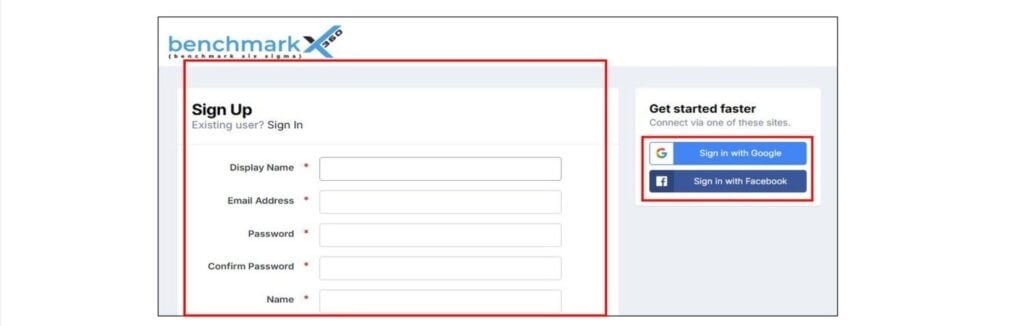
Option 1: Sign Up with Google
- Click “Sign in with Google.”
- Use the same Gmail ID that you shared during the Benchmark enrolment.
- Enter your Gmail address and click “Next.”
- Enter your Gmail password and proceed with “Next.”
- Complete 2-Step Verification if prompted.


Option 2: Sign Up by Filling in the Details
- Display Name: Must be unique.
If the name is already in use, try another variation (e.g., adding a number).
When the name is accepted, the field will turn green. - Email Address: Use the same email address that you used for Benchmark enrolment.
- Password: Set your preferred password.
- Name: Enter your full name.

- Answer the security question.
- Complete the Security Check (I’m not a robot).
- Tick the checkbox for “I agree to the Terms of Use.”
- Click “Create my Account.”

Step 6: Check Your Email for the Verification Link
After completing the sign-up process, you will receive an email asking you to confirm your email address. Open the message and follow the instructions.
If you don’t see it in your inbox, please check your Spam/Junk folder as well.

Step 7: Click on “Validate my Email Address”
Open the verification email and click the “Validate my Email Address” button.
Your account will be approved by the Benchmark Six Sigma admin team within 24 hours.

Step 8: Click on “Validate my account”
In the verification email, click the “Validate my account” button to complete your registration.

Step 9: Wait for Admin Approval
After validating your email, your account will show as Awaiting Approval.
The Benchmark Six Sigma admin team will approve your account within 24 hours.

Step 10: Wait for the Approval Email
Once your Forum account is approved by the Benchmark Six Sigma admin team, you will receive a confirmation email.
Step 11: Click on “Go to Benchmark Six Sigma Forum”
Open the approval email and click the “Go to Benchmark Six Sigma Forum” button.

Step 12: Your Forum Sign-Up Is Now Complete
After this step, your Forum account is fully active.
You can now proceed to access the Academy by returning to the Benchmark X360 website.
Step 13: Go to https://benchmarkx360.com/
Step 14: Click on “Login”
Use the Login button at the top-right corner of the site.
Step 15: Click on “Click here to log in”
You will see the login prompt again. Click the “Click here to log in” button.

You Are Now Logged In to the Benchmark Academy
Step 16: Click on “Academy”
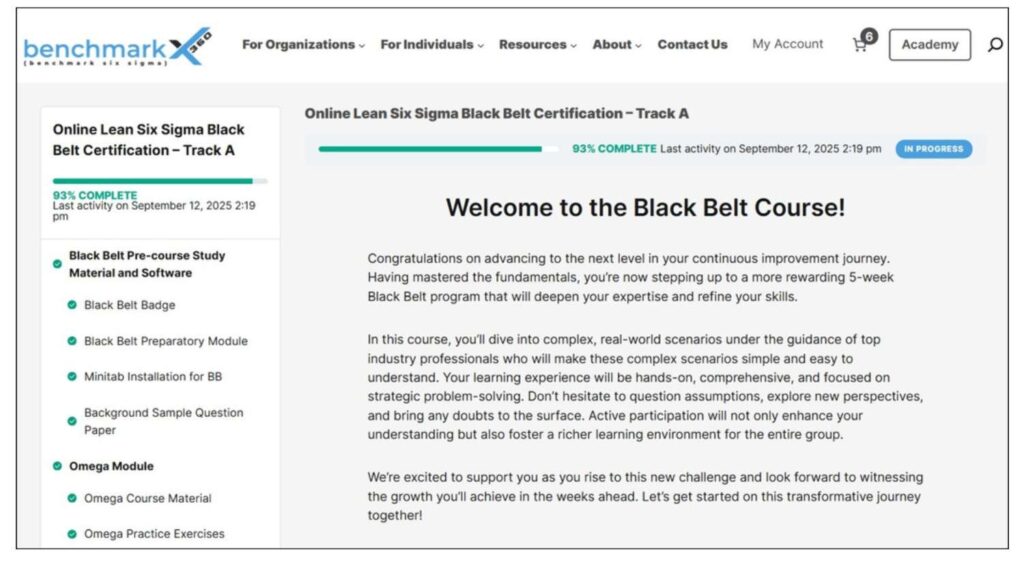
At the top of the page, click the Academy tab to view your enrolled courses.

Step 17: Click on the Course Listed Under “Courses You Are Currently Enrolled In”
Inside the Academy section, you will see the course(s) assigned to you.
Click the course displayed under “Courses you are currently enrolled in.”

Step 18: You Now Have Full Access to Your Course
Congratulations! You are now inside your course workspace.
You can begin exploring the modules, accessing the study material, and progressing through the lessons at your own pace. This is your learning space—everything you need to start your journey is right here. Enjoy the experience and make the most of the Academy!